
Features that make drill design actually fun.
Marching Mapper gives you a full toolkit for shaping, visualizing, and teaching your shows - without fighting your software the whole time.
Accessible tools to shape your drill.
Marching Mapper includes a full suite of drill tools to help you build forms quickly and cleanly: Line, Curve, Follow The Leader, Pen, Spiral, Arc, Quick Rotation, Block, Circle, NGon, Free Shape, Crystal, Line Star, Scatter, Mirror, Arrange, Skew, Skeletal Skew, Bow and Twirl.
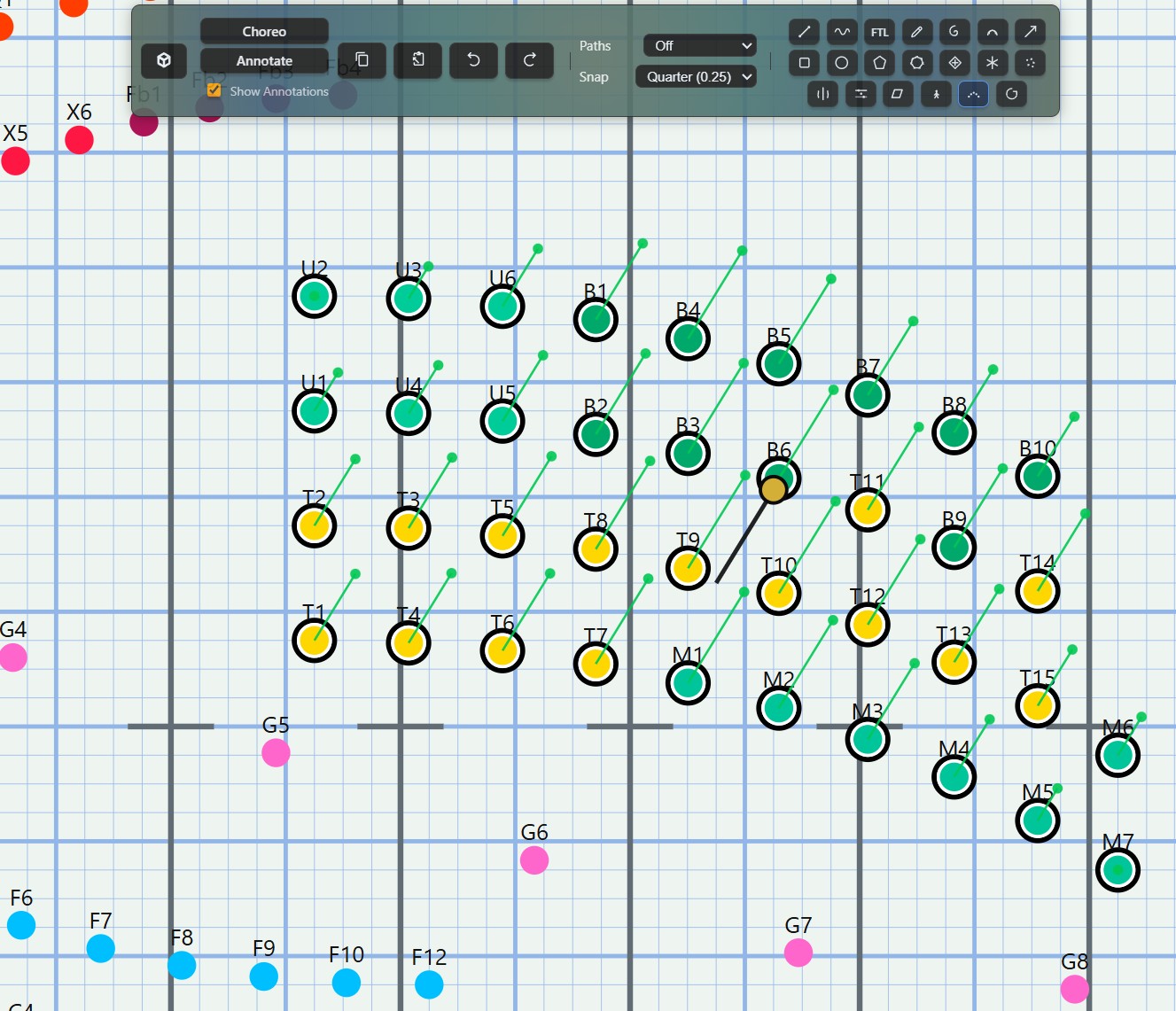
Tools that let you streamline your design process
Form tools built for drill writers.
Each tool is tuned for real marching ensembles and uses smart algorithms to keep paths clean and avoid collisions as marchers move between sets.
- Line Tool - Move marchers into evenly spaced lines with as many segments as you need.
- Curve Tool - Draw a curve and automatically place marchers along the path.
- Follow The Leader Tool - Create follower marchers that automatically mirror the path of a leader.
- Pen Tool - Draw freeform paths
- Spiral Tool - Generate spirals quickly and refine spacing without redrawing everything.
- Arc Tool - Make precise arcs spanning exactly the angle range you need.
- Quick Rotation Tool - Set rotations of marchers quickly by dragging the mouse over each marcher.
- Block Tool - Build strong blocks with custom rows and columns for winds, percussion, or full-band sets.
- Circle Tool - Go beyond simple circles: adjust rotation, density, and size to fit your staging.
- NGon Tool - Create any polygon you can imagine. Choose the number of sides, rotation, and fill. Turn shapes into stars by “breaking” the segments and controlling the indent depth.
- Free Shape Tool - Draw any shape you want and fill the marchers evenly into the bounds of the shape. Perfect for making blocks that aren't a perfect rectangle.
- Crystal Tool - Create faceted, crystalline forms with control over the number of points, lines, and rotations.
- Line Star Tool - Make star-shaped forms with control over the number of points, inner and outer radii, and rotation.
- Scatter Tool - Scatter marchers with a controlled random seed and adjustable spacing.
- Arrange Tool - Move marchers into the same axis or distribute marchers evenly over a set location you choose.
- Mirror Tool - Mirror forms cleanly to create symmetric sets or reflect an existing idea.
- Skew Tool - Skew marchers to create dynamic shapes and formations. Works on a mesh structure for precise control.
- Skeletal Skew Tool - Skew marchers based on a skeletal structure for more complex formations.
- Bow Tool - Create smooth, bow-shaped curves between two points with adjustable depth and influence.
- Twirl Tool - Add a twirling motion to your forms for dynamic, spiraling shapes. Works with curved pathways!
View Your Drill Anywhere.
Marching Mapper Buddy brings your show directly to performers' phones and tablets. Share your show with students so they can see their coordinates and pathways from their own device. Buddy is the perfect companion for teaching drill on the field, allowing you to watch learning happen in real time through director mode.
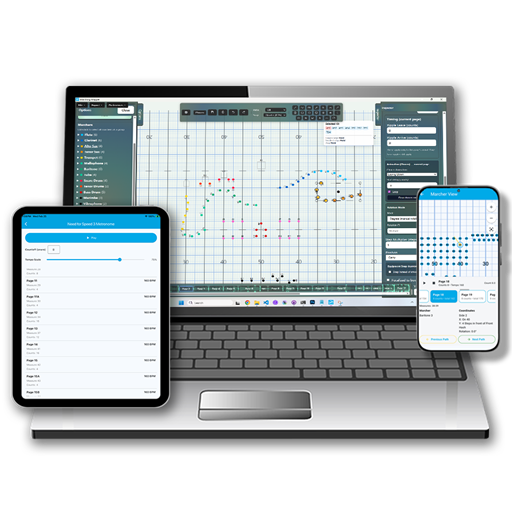


Marching Mapper Buddy
Your companion app for teaching drill on the field. Send your show to students and watch learning happen in real time at no extra cost.
- Student View - Every performer sees their own coordinates and pathways from their phone.
- Director Mode - See every performer's position at once so you can course-correct on the spot.
- No Extra Cost - Buddy is included with your Marching Mapper subscription.
- iPad Ready - Larger screens give staff and section leaders an even better view of the full drill.
- iOS - Available now on the App Store. Android - Available now on Google Play.
Choreo Studio.
Design choreography that works with your show
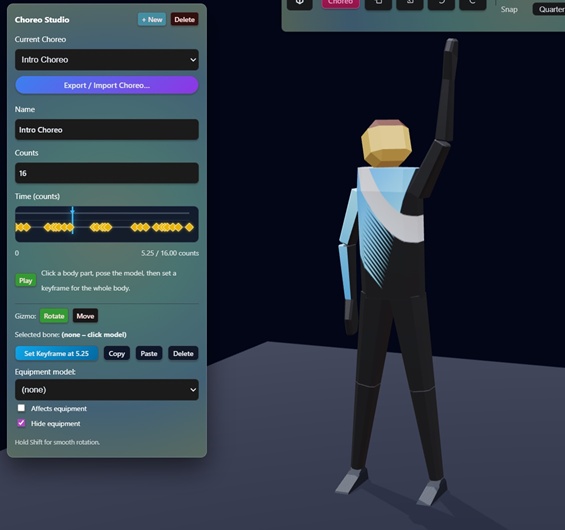
Make animations for your performers
Design Your Choreography
Go beyond form design.
- Per-Performer Control - Set choreography independently for any individual or section.
- Visual Playback - Watch choreography animate in the 3D view.
- Staff Sharing - Export or share choreography notes so your whole design team stays aligned.
Annotate Your Show.
Add context directly to your drill. Notes, arrows, and shapes live alongside the design so nothing gets lost in a separate document.
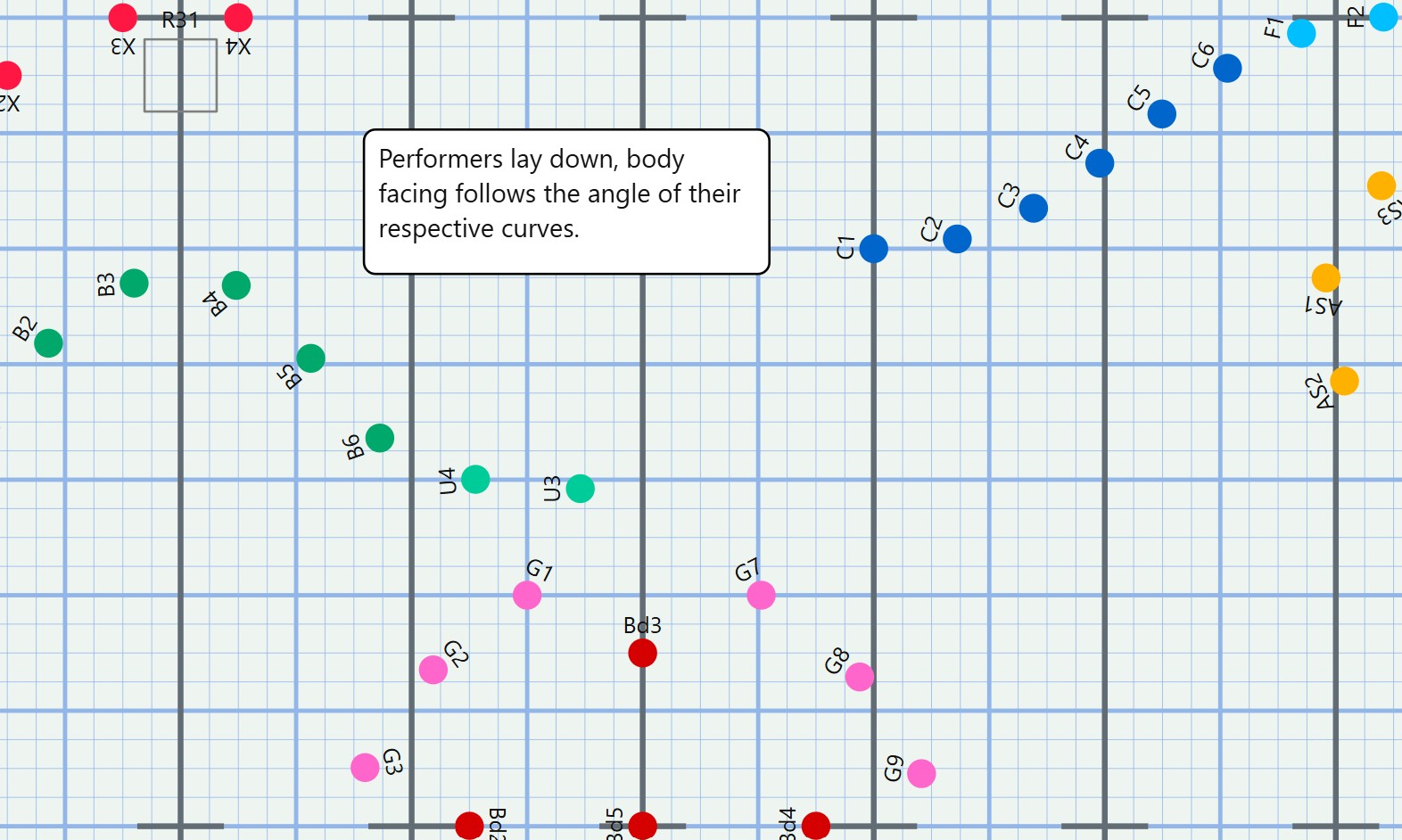
Attach notes and guides directly to sets
Keep your design notes in one place.
Stop juggling spreadsheets and sticky notes. Annotations are saved inside the show file so your whole team sees the same information.
- Set-Level Notes - Attach text notes to any set so rehearsal cues are always in context.
- Arrows & Guides - Draw attention to specific marchers or areas of the field.
- Shared Visibility - Annotations travel with the show file so staff and students see the same notes.
- Clean Export - Annotations are shown on exported dot sheets and can be displayed in Marching Mapper Buddy.
Collision detection that keeps performers safe.
See where marchers were, where they’re going, and where paths cross - before you ever step on the field.
Path-aware editing
Visualize previous and future marcher paths to catch collisions and tight intervals early. Adjust forms, counts, or tools and immediately see how pathways update.
Line your drill up with the music.
Upload your show audio and align drill to the performance your ensemble will actually play.
- Upload music and offset it so downbeats match your first set.
- Adjust tempo and counts to sync sets with key musical moments.
- Play back drill with audio to feel the pacing of every move.
3D view: see the show like an audience member.
Jump into a 3D field or indoor floor and watch your designs come to life with instruments, equipment, and realistic movement.
- See marchers from above, from the box, or from performer level.
- Each marcher can hold their instrument or equipment in 3D.
- Adjust rotations, horn angles, and equipment positions.
- Upload custom images for indoor floors and show-specific backdrops.
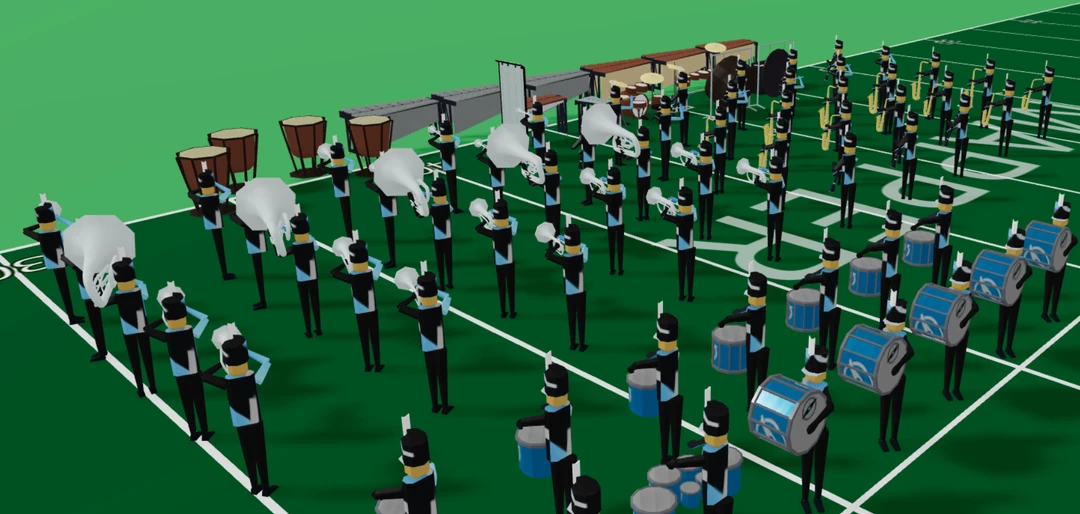
See your field come to life!
Upload your own custom models for props.
Every show has its own world: stages, tarps, towers, backdrops, carts, and more. Marching Mapper lets you upload your own 3D models for props so the field you see on-screen actually matches the one your ensemble performs on.
- Import your own 3D prop models and drop them directly onto the field.
- Rotate and scale props to match real-world dimensions and sightlines.
- Move props around the field set by set to plan choreography and staging.
- Build out full show environments so you can set up your field for success before band camp.
The result: a 3D view that doesn’t just show dots - it shows the full production your audience will see.
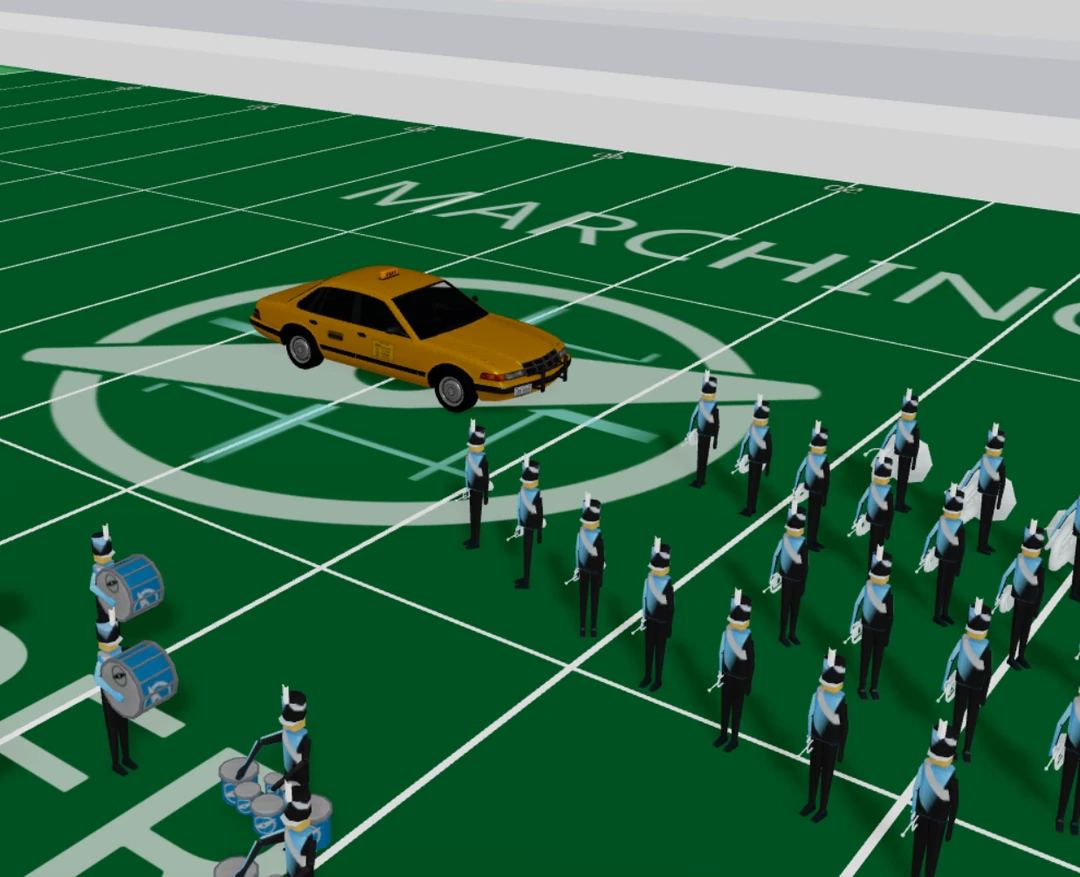
Load whatever props you want onto your field
Export what you need to teach the show.
Getting drill out of the computer and into your students’ hands is simple.
- Export dot cards and dot sheets so every marcher knows their coordinates.
- Create videos of your drill in motion to share with staff and students.
- Use exports for sectionals, leadership training, and remote learning.
Make the ensemble look like your ensemble.
Customize how performers appear so your drill is instantly readable.
- Change a marcher’s dot shape, color, and initial.
- Differentiate sections visually for quick reference.
- Give your ensemble a visual identity that matches your show design.
Front ensemble instruments that actually look like a front ensemble.
Common front ensemble instruments are modeled in 3D so you can see exactly how your front will impact staging, sightlines, and overall field picture.
Realistic layouts
Arrange marimbas, vibes, auxiliary racks, and more to match your actual pit spacing.
Better staging decisions
See how forms interact with your front ensemble so you can keep drill readable from the box.
Cleaner design communication
Share 3D previews with staff and designers so everyone understands the big picture.
Ready to start shaping your next show?
Use Marching Mapper to sketch ideas, refine sets, visualize paths, and give your ensemble drill that’s modern, teachable, and exciting to perform.